

AI Inbox: Multiple Subsidiaries Management
Developed by : Phacet
Automatically sort incoming emails and attachments across your subsidiaries, screen for fraud, and route documents to the right accounting systems.
The problem solved by this workflow
You manage supplier documents (invoices, quotes, contracts, credit notes) arriving by email across two or more legal entities : subsidiaries, branches, or group companies.
Today, your team manually opens each email, identifies the attachment, figures out which entity it's for, and forwards it to the right system or person. This template replaces that entire triage step.
Use this template if:
- Supplier documents arrive in a shared or monitored inbox
- You need to route them to different entities or accounting systems
- Your team spends time each day sorting and forwarding before doing actual finance work
- You want incoming emails screened for fraud before anyone acts on them
The impact
Reclaim 5–8 hours/week of manual sorting.
Every email is automatically classified (invoice, quote, contract...), matched to the right subsidiary, and routed to the correct accounting system. Your team starts the day with a pre-sorted queue instead of an unsorted inbox.
Catch fraud before anyone opens the attachment.
Every email is screened against 8+ fraud indicators and cross-referenced with web threat databases. Suspicious emails are flagged with clear signals and blocked from generating a response: no one on your team needs to make that judgment call individually.
Build an audit-ready trail without extra work.
Every classification, entity match, and fraud decision is logged When an auditor asks how supplier documents are routed, the answer is a structured log: not a person's name.
Access the AI Inbox Template from the Template Gallery
How your agent processes each email
Every email that enters the workflow goes through seven stages:
Email with attachment → Classify → Identify supplier → Match subsidiary → Screen for fraud → Draft response → Prepare routing → Flag exceptions
Inputs
The template needs the PDF attachment and the email metadata (sender, subject, body, timestamp, email ID, thread ID). These can be pushed automatically via Zapier, Make, or n8n, or entered manually for testing.
Processing stages
1. Document classification. The agent reads the PDF and email context to classify the document as Invoice, Credit Note, Quote, Contract, Terms & Conditions, Purchase Order, or Other. Ambiguous documents get flagged for review.
2. Supplier identification. The agent extracts the issuing company's name from the document. Returns "Not identified" when unclear.
3. Subsidiary matching. The agent matches the document to one of your entities using the catalog you configure during setup. When it can't match with confidence, it flags for review.
4. Fraud screening. Every email is evaluated against pattern-based signals (domain spoofing, urgent tone, suspicious links, unusual attachments) and web threat intelligence (fraud databases, security sources). Output: SAFE or SUSPICIOUS, with specific signals listed and actionable recommendations for suspicious items.
5. Response drafting. For SAFE emails, the agent drafts a professional acknowledgment in the sender's language, confirming receipt, document type, and next steps.
6. Integration preparation. The agent generates routing data ready for your automation layer: Pennylane supplier email per entity, Gmail label IDs per entity and document type.
7. Quality control flag. Any item classified as "Other" or matched to "Not identified" is flagged "To Review": creating a clean split between items that flow through automatically and items that need human judgment.

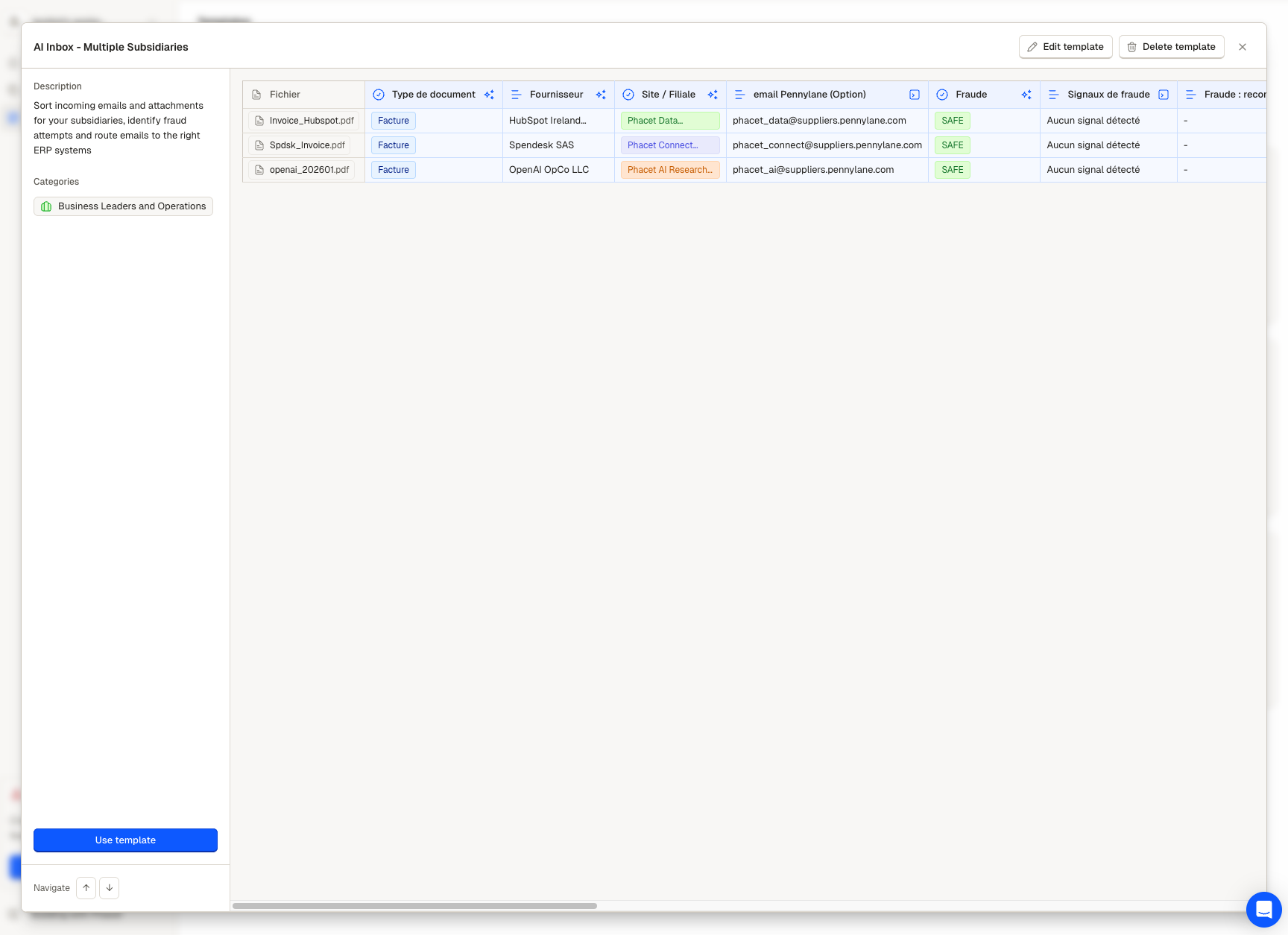
Review all analyzed emails at a glance
Where your team steps in
After the agent runs, your work concentrates on the Review queue:
- Flagged items need a human decision on classification or entity assignment
- Suspicious items need evaluation and potential security escalation
- Everything else is classified, matched, screened, and ready for downstream routing
Every evaluation the agent made is visible in Review. You can audit a structured analysis, not a simple black box.
Example results
Three scenarios showing what this looks like after the agent processes an email batch.
Clean match: routed automatically
| Field | Value |
|---|---|
| Document Type | Invoice |
| Supplier | Acme Industrial SA |
| Subsidiary | Phacet Data Solutions SAS |
| Fraud Status | SAFE |
| Response Draft | Acknowledgment in French, confirming receipt + payment timeline |
| Routing | → [email protected] |
| Review Flag | — |
In Review, citations show the PDF section where the supplier name was found, the SIREN number used for entity matching, and the document signals (VAT line, invoice number, payment terms).
Flagged needs human review
| Field | Value |
|---|---|
| Document Type | Other |
| Supplier | Unrecognized Consulting Group |
| Subsidiary | Not identified |
| Fraud Status | SAFE |
| Response Draft | — (blocked until classification confirmed) |
| Review Flag | To Review |
The agent couldn't classify the document (consultant activity report: not a standard type) and couldn't match an entity. A team member reviews, assigns the correct type and entity, and the item continues through the pipeline.
Suspicious fraud caught
| Field | Value |
|---|---|
| Document Type | Invoice |
| Supplier | Amaz0n Web Services |
| Subsidiary | Phacet AI Research Inc |
| Fraud Status | SUSPICIOUS |
| Fraud Signals | Sender domain inconsistent with displayed name. Domain flagged on PhishTank. |
| Recommendations | Do not open attachment. Do not click links. Escalate to security team. |
| Response Draft | — (blocked for suspicious emails) |
Spoofed domain caught before anyone on your team opened the attachment. No response drafted.
Updated 7 months ago